Which app is using your mobile data
How to find the answer on any Android phone, in about two minutes, using settings you already have.
Your phone knows exactly which app spent your data. It just doesn’t volunteer it. The number on your bill, or in your carrier’s app, is a total — and a total tells you that something went wrong without telling you what.
Here is how to get the real answer. No app required for this part.
Find it in Android’s own settings
The exact wording differs between manufacturers, but the screen exists on every Android phone:
- Settings → Network & internet
- SIMs, or Mobile network on some phones
- App data usage
On Samsung phones it is Settings → Connections → Data usage → Mobile data usage. On Xiaomi, Settings → SIM cards & mobile networks → Data usage.
You will get a list of every app, ranked by how much mobile data it used. That list is usually the whole story, and it is usually a surprise.
Check the date range first. Android defaults to the calendar month. If your billing cycle starts on the 17th, the default view is answering a question you did not ask. There is a date selector at the top of that screen — set it to match your cycle before you read anything into the numbers.
The number that actually matters
Tap any app in that list and the usage splits in two.
Foreground is data you spent. You opened the app, you scrolled, it loaded things. If a video app is high here, that is simply what watching video costs.
Background is data the app spent on its own, while you were doing something else entirely — syncing, refreshing, preloading, uploading analytics, downloading its own updates.
That second number is the one you can act on. Cutting foreground usage means using your phone less. Cutting background usage costs you nothing you would notice.
On the phone this site’s app was built on, the single largest data consumer of the month was a tile-matching puzzle game — ahead of the social apps, ahead of video. It was spending almost all of it in the background. Nothing on the phone said so until someone went looking.
How to stop it
Once you know which app it is, Android gives you a switch. In that same per-app screen, look for Background data and turn it off. The app keeps working when you open it; it stops spending while you are not looking.
Two things worth knowing before you start switching things off:
- Notifications do not come from each app’s own connection. On Android they arrive through Google Play Services. Restrict the wrong system component and every notification on the phone stops — messages, mail, calls. Leave Google Play Services, your dialler and your messaging app alone.
- Wi-Fi and mobile data are different questions. An app that is harmless on Wi-Fi can be expensive on a metered bundle. Only one of the two costs you money, so the useful restriction is usually per-network, not blanket.
Related
- How to stop apps using mobile data in the background — the three ways, and the switch that kills every notification
- Why your bundle runs out before the month does — the daily arithmetic, and which usage is worth cutting
- Samsung Max was discontinued — what to clear off your phone, and which parts of it still need replacing
- Block an app on mobile data but keep it on Wi-Fi — the per-network switch Android never shipped
- Why the Play Store eats your mobile data — usually the single biggest offender, and a one-line fix
If you want this to take ten seconds instead
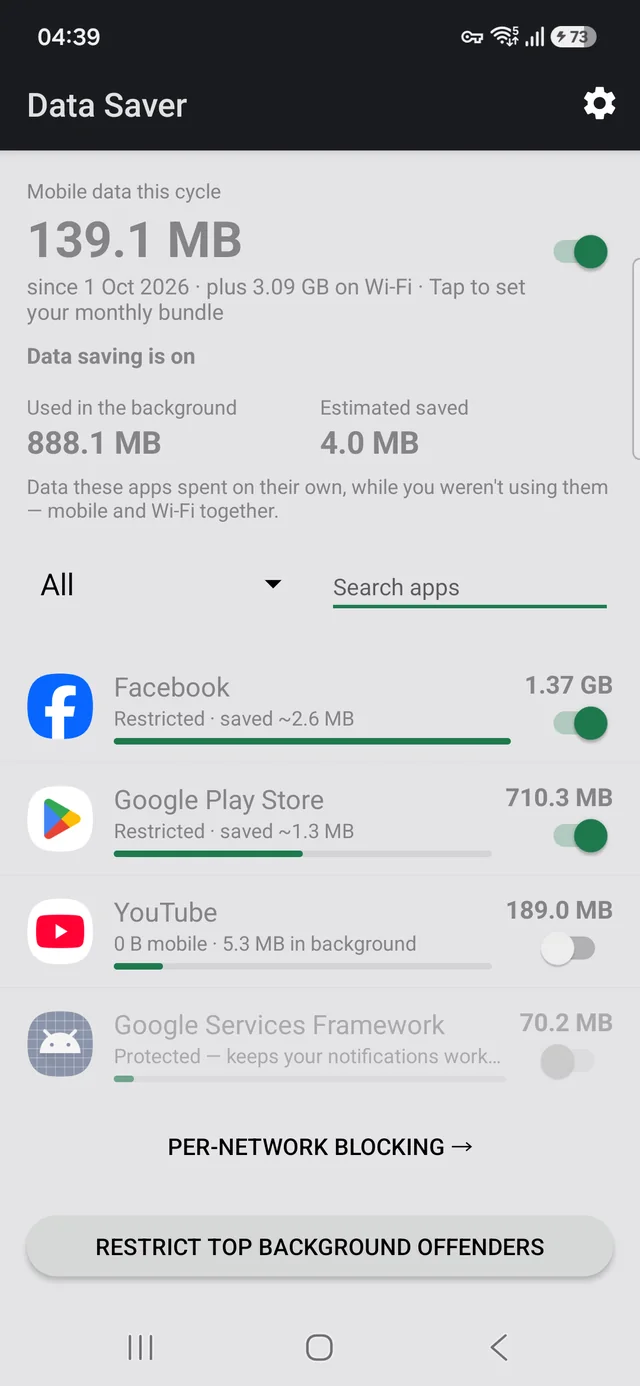
Android gives you the figures and a switch, but in different places, one app at a time, with the billing cycle set wrong by default. We built Data Saver because doing this by hand every month is tedious.
It shows every app ranked by usage with the foreground and background split on the same line, lets you restrict an app from that same row, and does it per network. It also protects the components that carry your notifications so you cannot break them by accident.
It has no INTERNET permission. Not a promise — the
permission is absent from the manifest, so Android will not let it open a network
connection at all. No accounts, no analytics, no servers, no ads. The figures come from
counters Android already keeps on your device.
The source is public, so that claim is checkable rather than believable.
Free, no ads, works offline. Requires Android 7.0 or later.